Do more with Ponta
You do not need any of this to start. Here is how Ponta works, the jobs you can hand over and the controls you keep.
How Ponta works
Your AI app does the thinking. Your PC does the work. Ponta sits between them, and asks you first when a step needs your yes.
Tidy my Downloads folder.
- List folder
DownloadsDone - Move file
Downloads\receipt-0931.pdfDone

 Your PC
- You askIn plain words, in your AI app, from any device.
- Ponta passes it onEach step goes to your PC. A risky step waits for your yes.
- Your PC does the jobWith its own files, browser and mail. Your PC only calls out to Ponta.
Jobs you can hand over
You ask in plain words, as you would ask a person. Your AI app picks the right tools on your PC. Every step is logged.
Files and commands
Find, sort, rename and tidy your files. Read documents and spreadsheets. Run the commands you would type yourself.
"Find last month's invoices and put them in one folder."
Browser
Use Ponta's own Chrome on your PC. Fill in web forms and get things done in the web apps you use.
"Fill in the supplier form on our portal from this spreadsheet."
Read and search your mailboxes, clear your inbox and draft replies. It asks you before it sends mail to anyone new.
"Draft replies to the unread mail from clients."
Screen
See your screen and work desktop apps that have no other way in.
"Open the accounts app and save this month's report as a PDF."
My Chrome
Use your everyday Chrome, signed in as you. Only when you allow it.
"Check the order status on the supplier site I'm signed in to."
Three jobs, start to finish
Real recordings of Ponta at work on a demo PC. The files and names are made up.
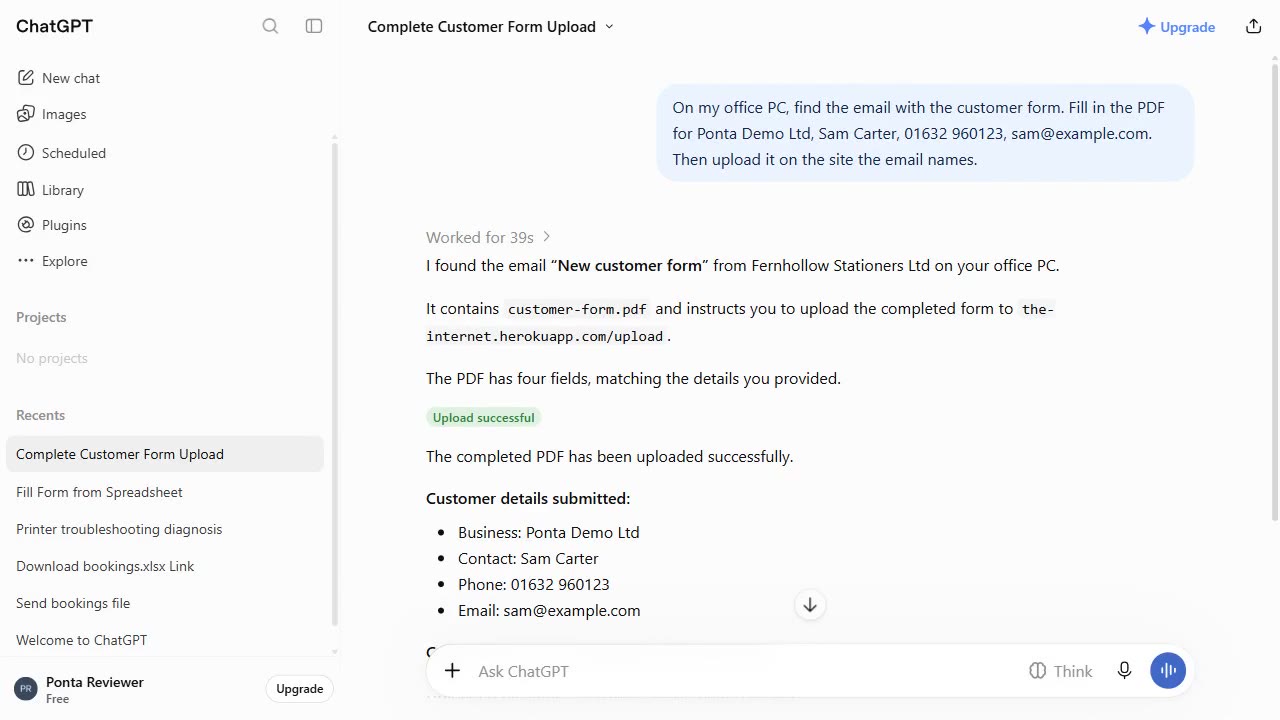
YouOn my office PC, find the email with the customer form. Fill in the PDF for Ponta Demo Ltd, Sam Carter, 01632 960123, sam@example.com. Then upload it on the site the email names.
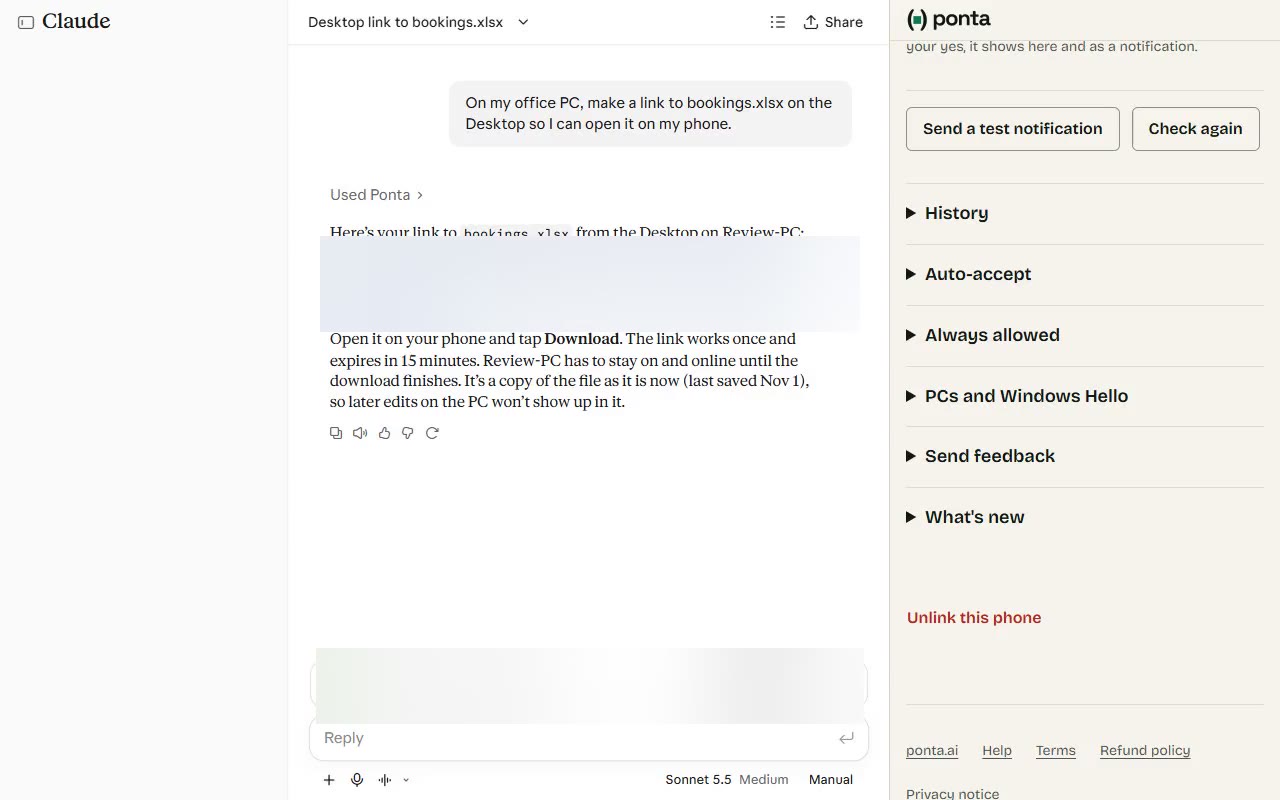
YouOn my office PC, make a link to bookings.xlsx on the Desktop so I can open it on my phone.
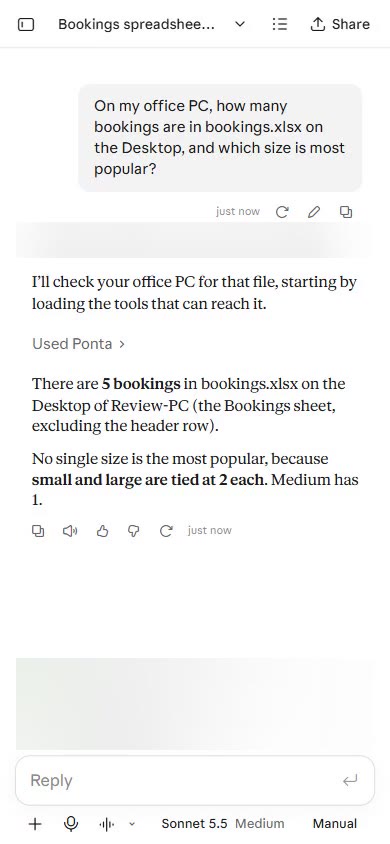
YouOn my office PC, how many bookings are in bookings.xlsx on the Desktop, and which size is most popular?
You stay in charge
Three screens you will use. Each one is in Ponta today.
-
Answer from your phone
When a step needs your yes, your phone tells you. Ponta says how much care the step needs, and why.
PontaApproval
Check carefully
Mail cannot be called back once it is sent.
Send invoice-0142.pdf to accounts@acme.co.uk
On OFFICE-PC. Asked by your AI app.
DenyApproveApprove and always allow -
See what happened
History lists the requests from the last 7 days, and how each one ended.
PontaHistory
The last 7 days, newest first.
Today
Approved. Done.
Send invoice-0142.pdf to accounts@acme.co.uk
On OFFICE-PC. Asked by your AI app.
Allowed automatically. Done.
Move 14 files to Documents\Receipts
On OFFICE-PC. Asked by your AI app.
Denied. Nothing was run.
Delete 3 messages from news@example.com
On OFFICE-PC. Asked by your AI app.
-
Pause or remove a PC
Pause a PC from the Ponta icon by the clock. Remove it on Your PCs, and it is cut off at once.
PontaYour PCs
PC Status Action OFFICE-PC online Remove HOME-PC paused until 18:00 Remove
Examples. The PC names and requests are made up.